
Lifestyle Brand Stories in One Continuous Clip with Seedance 2.5
A lifestyle campaign can lose its identity between clips. The bag changes shape, the room’s light shifts, and the person who entered the scene looks different when they leave it. An editor can hide some of those jumps, but the brand story still feels assembled from unrelated moments.
A continuous short clip offers a different planning approach. Instead of building several fragments and finding transitions later, a marketing team designs one action that carries the message from beginning to end. The product stays inside a recognizable setting, and the audience sees how it belongs in an ordinary moment.
Start with the message the scene must carry
Write the brief in plain business terms before describing the visuals. Identify the audience, where the clip will appear, and what the viewer should understand. “Introduce a weekend travel bag to people planning a short trip” is a usable goal. “Create an unforgettable premium brand experience” leaves the production team guessing.
Choose one message that can be shown without a long explanation. A hypothetical homeware brand might want to present a table lamp as part of a quiet reading corner. The scene can show someone placing a book beside it and settling into a chair. It should not imply unverified benefits such as better sleep or reduced stress.
Separate the message from the call to action. The scene establishes the product’s place in someone’s life; an approved caption or end overlay can direct the viewer to a collection page. That separation gives the visual story enough breathing room.
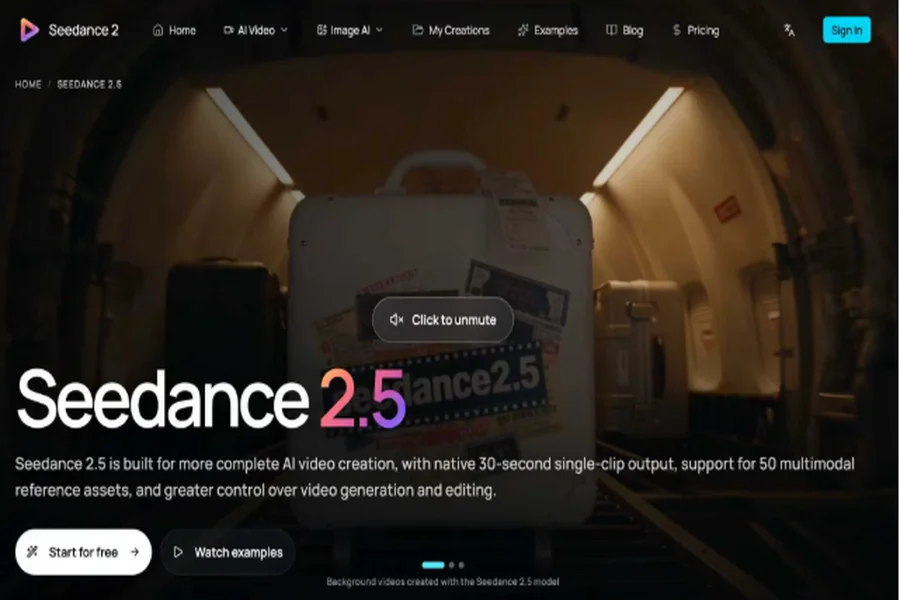
Seedance 2.5 supports continuous video generation up to 30 seconds in one pass. Teams can try Seedance 2.5 to turn a focused lifestyle brief into a single continuous brand story. New users get free credits on sign-up, so you can generate a first video for free. Build the scene around one recognizable product and one clear message, then review the clip against the approved brief before publication.
Choose an action that belongs in one place
A continuous brand storytelling video needs a route through a space. A person can walk from a hallway to a reading chair, or carry a serving bowl from a kitchen island to a nearby table. These actions connect naturally without requiring the audience to infer a location change.
For a travel bag, consider a person collecting the bag beside a hallway bench, checking the handle, and walking toward the door. The bag remains visible throughout. Packing an entire holiday, showing an airport, and arriving at a beach would require a much more complicated sequence.
Plan the final frame early. If the campaign needs room for an offer, leave a quiet area beside the product. If the film will run vertically, make sure the action stays useful in that frame rather than depending on details far to either side.
A continuous shot is a creative choice, not a rule for every campaign. Product comparisons, several locations, or detailed demonstrations may still need conventional editing. Use this approach when staying with one scene helps the audience understand the brand.
Assemble a reference pack the team can approve
Prepare current product photographs, a location reference, and a short visual direction. Product images should show the features that cannot drift: handles, seams, silhouette, closures, and proportions. A reference showing only the mood of a room cannot establish those details.
Choose lighting and colors that agree across the pack. A warm hallway photograph and a cool industrial studio image may both be attractive, but they offer different directions. Decide which one defines the scene before generation.
Keep reference decisions visible to the reviewer. Label one image as the product reference and another as the setting reference in your production notes. Record which details are essential and which are flexible. A chair’s exact shape may be optional; the advertised bag’s construction is not.
Check permission to use and upload each asset. Avoid adding customer photographs merely because they match the desired lifestyle. Use approved campaign assets or a fictional scene with references that the business has the right to use.
Move from the brief to a generation prompt
Translate the approved brief into physical instructions. For the hypothetical bag campaign, a prompt could read: “One continuous shot in a softly lit apartment hallway. Follow an adult in a charcoal jacket as they lift the referenced canvas travel bag from a wooden bench and walk toward the open doorway. Keep the bag’s handles, seams, shape, and color consistent. Use a slow lateral camera track. End with the bag fully visible beside the doorway, leaving clear space above it for an added caption.”
This prompt explains the action and the nonnegotiable product details. It also reserves a place for the message instead of asking the generator to reproduce exact promotional lettering inside the scene.
Give generation a defined review budget
Before producing alternatives, agree on what the team is comparing. One round might test camera distance. Another might test whether the person’s movement feels appropriate for the brand. Changing location, lighting, outfit, and camera movement together makes feedback harder to apply.
Save the prompt and reference set with each version. Use a simple filename or version number that connects the output to its inputs. If a reviewer prefers an earlier result, the producer should be able to identify the decisions behind it.
Check the generation estimate before each submission and set a practical stopping point. A promising concept can still require several attempts. The workflow should have room for revision without turning every minor preference into another uncontrolled round.
Review the product before the mood
The first brand review should ask whether the advertised object is represented faithfully. Watch for changing dimensions, missing closures, distorted labels, or a strap that attaches differently as the subject moves. Reject a beautiful result if it misrepresents the product.
Next, review the story. Can a viewer understand the intended moment without a presenter explaining it? Does the final frame support the campaign message? Is the product visible long enough to recognize, or does the camera spend most of the clip on the room?
Then assess tone, pacing, and composition. A quiet homeware campaign may need restrained motion. A weekend accessories campaign may allow a livelier pace. Those choices should follow the approved brief rather than whichever generated effect looks most dramatic.
Finish for the channel where people will watch
Add approved text in an editing tool when exact wording matters. Check the caption on a phone-sized preview, and leave enough time for it to be read. Keep text clear of platform interface areas and important product details.
Watch the finished version without sound. If the visual action cannot carry the basic story, revise the scene or the caption. Then check the audio version for distracting sound and wording that overstates what the product does.
Keep the approved clip, reference pack, and final copy together. A continuous film works best as a small, controlled campaign asset: one recognizable product, one believable moment, and one message the team can confidently publish.