
How to Choose the Best Laptop for Your Needs
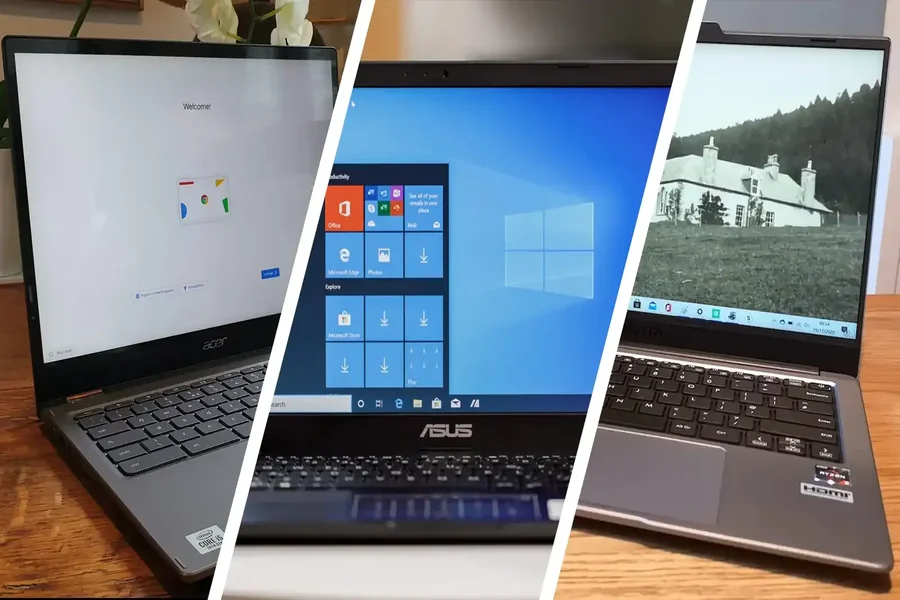
Choosing the right laptop is a critical decision, whether you’re a student, professional, gamer, or casual user. With a vast array of models, specifications, and brands available, finding the perfect laptop tailored to your specific needs can be overwhelming. This article guides you through the essential factors to consider, helping you make an informed purchase that balances performance, portability, and budget.
Understand Your Primary Use Case
Before diving into technical specs, clearly define how you intend to use your laptop. Different use cases demand different features.
- Basic Use: Web browsing, email, word processing, and media consumption.
- Professional Work: Graphic design, video editing, programming, data analysis.
- Gaming: High-performance graphics, fast processors, and advanced cooling.
- Portability Needs: Frequent travel requiring lightweight and long battery life.
- Hybrid Use: A combination of tasks, requiring balanced specs.
Knowing your primary tasks will narrow down the type of laptop you need.
Key Specifications to Consider
Processor (CPU)
The CPU is the laptop’s brain, affecting speed and multitasking.
Intel Core Series: i3 (basic), i5 (mid-range), i7/i9 (high-end).
AMD Ryzen Series: Ryzen 3, 5, 7, and 9 follow similar tiers.
Choose higher-end CPUs for demanding tasks like video editing or gaming.
For basic tasks, an entry-level CPU suffices.
Memory (RAM)
RAM determines how many tasks your laptop can handle simultaneously.
8GB RAM is typically the minimum for smooth performance.
16GB or more is recommended for professional or gaming use.
More RAM improves multitasking and future-proofs your laptop.
Storage
Storage affects how much data you can save and access speed.
SSD (Solid State Drive): Faster, more reliable, recommended for almost all users.
HDD (Hard Disk Drive): Offers more space for less cost but slower speeds.
Opt for at least 256GB SSD for the operating system and programs.
Consider hybrid storage (SSD + HDD) if you need both speed and capacity.
Graphics Card (GPU)
Important for gaming, video editing, 3D modeling, and CAD applications.
Integrated Graphics: Suitable for everyday use and light multimedia.
Dedicated Graphics Cards: Nvidia GeForce or AMD Radeon GPUs are ideal for gaming and professional graphics work.
For casual users, integrated graphics are sufficient.
Display
Your screen influences comfort and visual quality.
Size: 13-14 inches for portability; 15-17 inches for immersive viewing.
Resolution: Full HD (1920×1080) is standard; 4K for professionals needing high detail.
Consider IPS panels for better color accuracy and viewing angles.
Touchscreen options add versatility but may impact battery life.
Battery Life
Battery capacity affects mobility.
Aim for laptops with at least 8 hours of battery life for full-day use.
Real-world usage varies; check user reviews for accurate estimates.
Lightweight models often compromise performance for longer battery life.
Portability and Build Quality
Consider size, weight, and durability.
Ultrabooks: Thin and lightweight, great for travel.
Convertibles: 2-in-1 laptops with touchscreen and tablet modes.
Check materials like aluminum or carbon fiber for sturdiness.
Look for spill-resistant keyboards if needed.
Connectivity and Ports
Ensure the laptop has the necessary ports for your devices.
Common ports: USB-A, USB-C, HDMI, headphone jack, SD card reader.
Thunderbolt 3/4 ports offer high-speed data transfer and external display support.
Check for Wi-Fi 6 or newer standards for faster wireless connectivity.
Operating System
Choose the OS based on your preferences and software needs.
- Windows: Most versatile, supports wide software range.
- macOS: Preferred by creatives; seamless ecosystem with Apple devices.
- Chrome OS: Lightweight, web-focused, suitable for basic tasks and education.
- Consider software compatibility before selecting.
Additional Considerations
Warranty and Support
Opt for brands offering reliable customer service and warranty coverage. Extended warranties and onsite support can be valuable.
Budget
Set a realistic budget balancing features and quality. Avoid overly cheap laptops that may compromise performance or longevity.
Brand Reputation
Research brands known for durability, performance, and user satisfaction. Brands like Dell, HP, Apple, Lenovo, and ASUS have strong track records.
Steps to Choose the Best Laptop
- List Your Priorities: Performance, portability, budget, or specific features.
- Research Models: Compare specs and reviews aligned with your priorities.
- Test In-Store or Virtually: Check keyboard comfort, screen quality, and build.
- Consider Future Proofing: Choose specs that will serve your needs for years.
- Check Return Policies: Ensure flexibility in case the laptop doesn’t meet expectations.
Conclusion
Choosing the best laptop requires careful evaluation of your specific needs against the multitude of options available. By understanding critical components such as CPU, RAM, storage, display, and battery life—and balancing these with budget and portability—you can select a device that enhances productivity, entertainment, and daily use.
Taking time to research and test options ensures your investment delivers optimal performance and satisfaction.