
I Put GPT Image 2.5 to Work for a Week — Here’s What Actually Changed
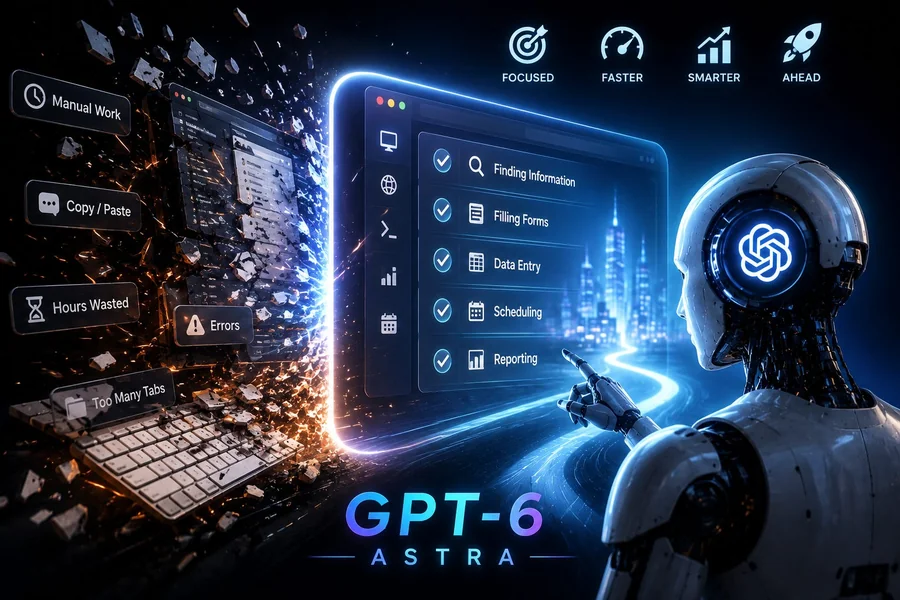
Specs and benchmarks only tell you so much. The real test of any new image model is what happens when you sit down and try to get something done with it, on a deadline, with a real project attached. So instead of another feature list, here’s what a week of actually using GPT Image 2.5 looks like, and where it helped versus where it just added new options to think about.
Quick note before getting into it: if part of your project needs motion instead of a still frame, you don’t have to switch tools entirely. A free seedance video generator can pick up right where the image generation leaves off, so keep that in your back pocket as you work through this.
The Setup: What You’re Actually Choosing Between
Before opening the app, there’s already a decision to make. GPT Image 2.5 isn’t one model, it’s two: Flare and Sunburst. Flare is the fast option, meant for quick drafts and high-volume output. Sunburst runs slower but is built for edits that need to hold up under close inspection, like a final campaign asset. Picking wrong doesn’t ruin anything, but it does change how the whole session feels, so it’s worth deciding upfront based on whether you’re exploring ideas or finalizing one.
The Edit Loop That Used to Break Everything
The Small-Change Problem
Anyone who used the previous model knows this pain: you ask for one small tweak, like changing a jacket color, and the whole image comes back slightly different. The lighting shifts, the face looks off, the background composition drifts. Multiply that across five or six rounds of edits and the final image barely resembles the first draft.
What’s Different Now
Running the same kind of multi-step edit with GPT Image 2.5, that drift is much less noticeable. Ask for a color change, and the rest of the frame actually stays put. It’s not flawless, but across a dozen or so test edits, the subject held its shape, the lighting stayed consistent, and small details carried through in a way that didn’t happen before. This alone is probably the most useful upgrade for anyone doing iterative creative work rather than one-shot generations.
The Toolbar Nobody Warned You About
The other change that shows up immediately is in the interface itself. Instead of retyping a prompt every time, there’s now a Sketch tool for marking directly on the image and a Comment tool that reads more like leaving a note but actually works as an instruction. Draw a circle around the object you want changed, add a short comment, and it treats that as the edit request. It sounds small, but it removes a surprising amount of friction. You stop trying to describe “the thing in the top left” in words and just point at it.
Where the Speed Actually Matters
Flare’s speed claims held up in practice. Generations came back noticeably faster than the older model, which mattered less for a single image and a lot more once multiple drafts were needed back to back. If your process involves generating five variations to pick the best one, that speed difference adds up over a session in a way a spec sheet doesn’t fully capture.
From One Image to a Full Content Set
Here’s where the workflow stopped being just about images. Once a product shot or character design looked right, the next step in most real projects is turning it into something that moves, whether that’s a short ad, a product teaser, or a social clip. Rather than jumping into a separate design pipeline, feeding the finished image into an image to video tool kept the same subject and style intact while producing a short animated version, which saved a full extra round of asset creation.
The Cost Question
One thing that made testing easier: pricing didn’t change from the previous model. Both Flare and Sunburst run on the same token rate card as before, so there was no new budget conversation needed before trying it. That’s a bigger deal than it sounds. A lot of teams skip trying new models simply because of the pricing review that comes with it, and that barrier isn’t really there this time.
Where It Still Falls Short
To be fair, not everything is settled. The subject-preservation improvement felt real across a personal set of test cases, but that’s not the same as an independent, large-scale benchmark, and none of those exist publicly yet. If a specific use case depends heavily on those claims, like a business relying on exact product consistency across hundreds of images, it’s worth running a proper internal test batch before committing fully, rather than assuming the marketing language matches every scenario.
Final Take
After a week, the honest takeaway is that GPT Image 2.5 fixes a real, specific problem rather than trying to reinvent the whole process. The editing loop is noticeably less frustrating, the toolbar changes save real time, and the fact that pricing stayed flat removes the usual excuse to wait and see. It’s not a flashy upgrade, but it’s the kind that quietly makes a daily workflow better once it’s in place.