
What Your IP Address Reveals About You + How to Check It for Free
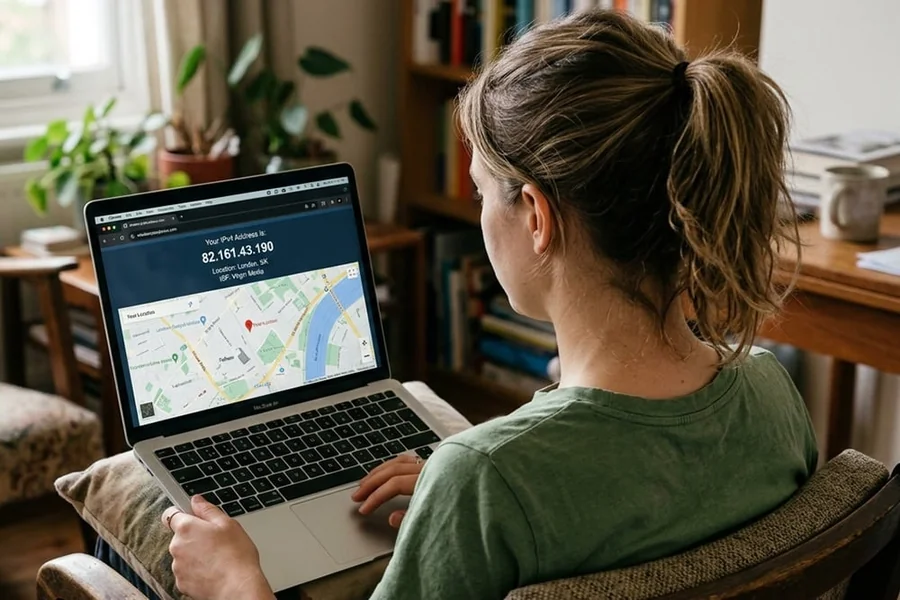
Every device that connects to the internet gets an IP address. It is like an ID number for your connection. Most people never notice it, but it actually shows more information than expected.
Knowing this helps you stay aware while browsing online. It also gives you better control over your privacy and data.
Let us understand this in a very simple way.
What Is an IP Address
An IP address is a number given to your internet connection. It helps websites know where to send the data you request. Without it – websites would not know where to load or display anything for you.
You can think of it like a return address on a package. When you request a webpage – your IP tells the server where to send the response.
There are two common types:
- IPv4 – older format with numbers separated by dots
- IPv6 – newer format with longer combinations
They serve the same purpose but use different structures.
What Your IP Address Reveals
Many people assume an IP address only shows a number. In reality, it reveals more useful details about your connection.
Here is what can be identified:
Your Approximate Location
Your IP can show your country and city. It does not give an exact address but gives a general area.
Your Internet Provider
Websites can see which company provides your internet. This includes mobile data providers and broadband services.
Your Device Type
Some systems detect whether you are using a mobile or a desktop. This helps websites adjust how content is displayed.
Your Browsing Patterns
Websites track visits linked to your IP address. This helps them understand user behavior and preferences.
Your Network Type
It can indicate if you are using WiFi or mobile data. This data helps platforms adjust loading speed and content.
This information is not always harmful. It is helpful for improving user experience. Still – awareness is important.
Why This Information Matters
Understanding what your IP reveals helps you stay informed. Many users browse without knowing how much data gets shared.
Here are a few reasons this matters:
- Helps understand online tracking
- Builds awareness about privacy
- Prevents misuse of personal data
- Helps detect suspicious activity
Small awareness can help avoid bigger problems later.
How to Check Your IP Address for Free
Checking your IP address is very quick. It will only take a few seconds to see it. You do not need any technical skills or extra setup. Just follow these easy steps:
Step 1: Open a Browser
You can use any browser on your phone or computer.
Step 2: Visit an IP Checker Website
Search for any free IP checking tool online.
Step 3: View Your Details
The website will instantly show your IP address. It will also display your location and provider.
Some tools even show extra details like browser and connection type.
For example, websites like 2ip.ru provide quick access to this information. They show your IP along with location and network details in a simple format.
What Else You Can Check
Some tools provide more than just your IP address. These additional checks can be useful.
- Internet speed test
- Website availability check
- DNS and network details
- Browser and device detection
These features help you understand how your internet connection performs.
How to Protect Your IP Address
You cannot remove your IP address – but you can reduce exposure. Simple steps can improve your online privacy.
Here are a few helpful methods:
- Use a VPN to hide your real IP
- Avoid connecting to unknown public networks
- Keep browser settings updated
- Use secure websites with HTTPS
- Limit sharing personal information online
These steps reduce the chances of tracking and misuse.
Common Misconceptions About IP Addresses
Many people have wrong ideas about IP addresses. Some things sound true but are not actually correct. It helps to know the difference so you do not get confused. Here are a few common misunderstandings:
- IP address shows exact home location – This is not true
- Anyone can hack using your IP instantly – This is exaggerated
- Changing network hides identity completely – This is not fully correct
IP addresses provide limited information, not complete personal data.
When Should You Be Careful
There are situations where extra awareness helps.
- Using public WiFi in crowded places
- Accessing sensitive accounts on shared networks
- Clicking unknown links from emails
- Installing untrusted apps
Being careful in these situations reduces risks.
Final Thoughts
An IP address is a normal part of using the internet. It helps your device connect to websites and load them properly. At the same time, it also shows a few details about your connection.
Knowing what it reveals makes things clearer while browsing. Checking it once in a while helps you understand your network better.
It takes only a few seconds to check it. After seeing it yourself, you will know how much information is visible online.