
10 Compact Standing Desks for Dual Monitor Setups in Canada – 2026 List
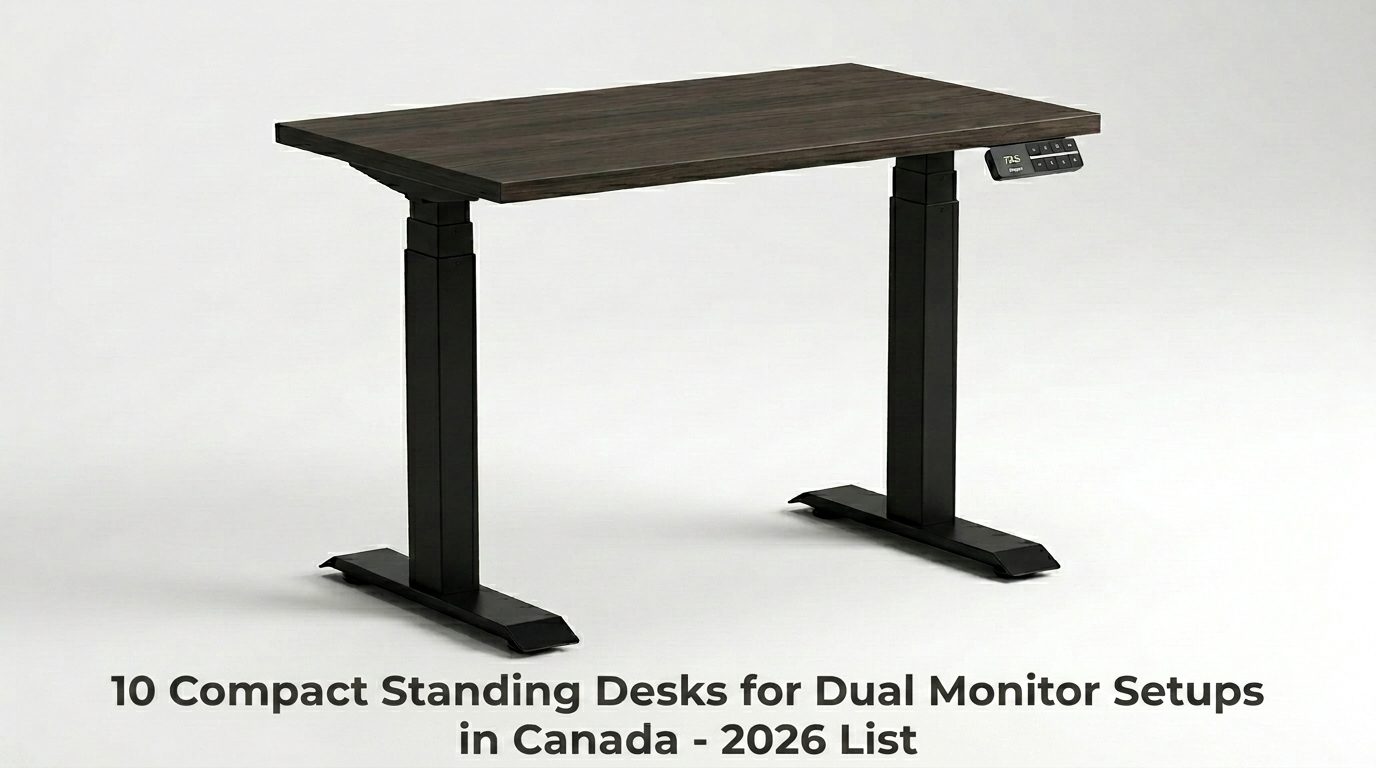
The best compact standing desk for a dual-monitor setup in Canada is the Desky Dual Mini Sit Stand Desk. It supports 308.6 lbs, adjusts from 23.6 to 49.2 inches, uses a dual motor system, and fits a complete dual-monitor rig into a 40 x 24-inch footprint, with free Canada-wide shipping and a 10-year warranty on all parts.
Sports fans and bettors in Canada know the two-screen advantage. One display streams live game footage; the other tracks live odds, injury reports, and stat overlays. The desk behind that setup needs to hold the combined load without wobbling during a mid-height change and fit in a realistic home office or apartment corner.
Nine alternatives below have genuine appeal at their price points. Each one also has a ceiling that the Desky clears.
1. Desky Dual Mini Sit Stand Desk
The Desky Dual Mini Sit Stand Desk delivers full smart-desk performance in a compact footprint built for tight Canadian home offices, spare bedrooms, and studio apartments.
The dual-motor system lifts 308.6 lbs across a 23.6 to 49.2-inch height range using 3-stage telescopic legs, with 4 programmable height presets, Siri voice control, and app-based sit/stand reminders. An optional cable tray consolidates all connections into a single cord to the wall, supporting 6 power points with built-in USB-A and USB-C ports.
Over 30 sustainably certified desktop finishes at a 1-inch thickness come with BIFMA, EESS, and TUV Rheinland certifications. TechRadar Pro has specifically rated the Hardwood Mini as highly recommended [1]. Free Canada-wide shipping with same-day dispatch before 12pm EST and a 10-year warranty on all parts are standard.
Watch the Desky Mini Sit Stand Desk in action: https://www.youtube.com/watch?v=XaIbFVlPr8o
Pros:
- 308.6 lb capacity, dual motor, BIFMA/EESS/TUV certified, tested to 20,000+ motor cycles
- Optional cable tray: 6 power points, USB-A, USB-C, 1 cord to wall
- 10-year all-parts warranty; free Canada-wide shipping; Afterpay and Klarna available
Cons:
- Cable management is an optional add-on tray rather than a fully built-in channel
- Compact surface requires a monitor arm for true side-by-side dual-monitor placement
Best for: Sports fans and remote workers who need full-featured smart-desk performance in a compact Canadian home office.
Contact Details:
- Address: 1270 Humber Place, Ottawa, ON, K1B 0B4 (Desky Canada Headquarters – Not open to the public)
- Website: desky.ca
- Phone: +1 800-657-5042
- LinkedIn: linkedin.com/company/deskydesk/
- Facebook: facebook.com/deskyaus/
- Instagram: @deskyau
2. IKEA TROTTEN
IKEA positions the TROTTEN as its primary sit-stand desk across Canadian retail locations, with the 47 1/4 x 27 1/2-inch variant fitting smaller home office spaces and studio setups. Retail pickup availability and a familiar return process are its clearest strengths.
The height adjustment relies on a manual crank with no motor, no height presets, and no smart controls [2]. Switching positions between quarters or match breaks requires manually cranking the desk, a friction point that every motorized desk on this list eliminates. No cable management solution ships with it.
Pros:
- Available at Canadian IKEA retail locations with same-day pickup
- Budget-friendly entry price point
Cons:
- Manual crank only; no motor, no presets, and no app or voice control
- No cable management solution included
Best for: Minimalist single-monitor setups where height changes are rare and upfront cost is the only consideration.
Contact:
- Address: Multiple retail locations across Canada
- Phone: Varies by store location
- Instagram: @ikeacanada
- Facebook: @IKEACanada
3. Fezibo Electric Standing Desk
Fezibo ships electric standing desks to Canadian buyers from domestic warehouses, which shortens delivery times compared to cross-border fulfillment. Entry-level pricing makes it a visible option for first-time standing desk buyers in Canada.
The standard electric model uses a single motor system. Under the combined load of two monitors, a dual monitor arm, a laptop, and peripherals, a single-motor design produces more vibration during height transitions and more lateral movement at standing height than a dual-motor build [2]. Customer support consistency has also drawn mixed feedback from Canadian buyers.
Pros:
- Ships from Canadian warehouses with domestic delivery timelines
- Accessible entry-level pricing for first-time buyers
Cons:
- Single motor reduces stability under heavier dual-monitor loads
- Inconsistent customer support experience flagged in Canadian user reviews
Best for: Light single-monitor setups where budget is the primary driver.
Contact:
- Address: 1401 21st ST, STE R, Sacramento, CA 95811 (ships from Canadian warehouses)
- Phone: +1 888-253-4559
- Instagram: @fezibo_home
- Facebook: @Fezibous
4. RiseDesk Standing Desk
RiseDesk operates out of Toronto, making it one of the few standing desk brands with a genuine Canadian headquarters. Domestic shipping and local customer support give it a real advantage for buyers who prefer dealing with a Canadian company.
The adjustable range runs 28.3 to 45.2 inches, a window that compresses the ergonomic fit for users at the shorter or taller ends of the height spectrum [2]. No cable management solution ships with the desk, creating an immediate routing problem for a dual-monitor setup, generating multiple display and power cables.
Pros:
- Toronto-based brand with local customer support and domestic shipping
- Simplified buying and returns process for Canadian customers
Cons:
- Height range of 28.3 to 45.2 inches limits ergonomic fit at the height extremes
- No cable management included
Best for: Mid-height Canadian buyers who prioritize local support over advanced desk features.
Contact:
- Address: 137 Horner Avenue, Etobicoke, ON M8Z 4Y1
- Phone: (647) 931-0533
- LinkedIn: linkedin.com/company/risedesk
5. Autonomous Desk 2 Eureka
Autonomous reaches Canadian buyers through a Canada-specific storefront, with competitive pricing and strong recognition in the North American remote work community. Their Desk 2 (Eureka) is the primary compact electric model available to Canadian customers.
The frame uses 2-stage telescopic legs, a design that produces more lateral movement at the upper and lower ends of the adjustment range than a 3-stage build. Canadian buyers have also flagged stock inconsistencies and fulfillment delays on certain configurations during peak demand periods.
Pros:
- Strong remote work brand presence with a dedicated Canada storefront
- Competitive pricing in the entry-to-mid range
Cons:
- 2-stage leg design shows more lateral movement at height extremes than the 3-stage builds
- Stock inconsistencies and configuration delays were reported by Canadian buyers during peak demand
Best for: Budget-conscious remote workers in standard height ranges with basic dual-monitor needs.
Contact:
- Address: No Canadian address on record (online-only Canadian operations)
- Website: autonomous.ai/en-CA
- Instagram: @autonomous_inc
- Facebook: /autonomous.AI
6. PrimeCables Dual-Motor Desk
PrimeCables stands as a trusted Canadian retailer for cables, adapters, and electronics accessories, with the standing desk frame available alongside their broader product catalog at PrimeCables website. Canadian shipping and domestic support are straightforward.
The desktop on this model ships in two separate pieces joined at a center seam. A dual-monitor arm that applies clamping force to a single surface point stresses this joint over time, introducing flex or surface shift that a one-piece desktop handles without issue. Weight capacity sits measurably below Desky’s 308.6 lb benchmark.
Pros:
- Available from a well-established Canadian electronics retailer with domestic support
- Motorized frame at a budget price point
Cons:
- Two-piece desktop creates a surface seam that flexes under sustained monitor arm pressure
- Lower weight capacity than Desky’s 308.6 lb benchmark
Best for: Budget-tier buyers already in the PrimeCables ecosystem who want a basic motorized setup.
Contact:
- Address: 4625 Garand, Saint-Laurent, QC H4R 2K1
- Phone: 1-888-521-7727
- Website: primecables.ca
- Facebook: /primecables.ca
- Instagram: @primecables_ca
7. VIVO Electric Standing Desk
VIVO produces electric standing desks and monitor mounting solutions available to Canadian buyers through Amazon Canada store, with fast Prime delivery timelines and wide North American brand recognition in the budget desk accessories segment.
The electric standing desk carries a 176 lb weight capacity. A dual-monitor setup with two 27-inch monitors, a dual-monitor arm, a laptop, docking station, and accessories can realistically approach or exceed this ceiling, introducing load risk that Desky eliminates at its 308.6 lb rating [2]. No programmable presets, smart app, or voice control ship with the standard model.
Pros:
- Available through Amazon.ca with fast Canadian delivery
- Recognized brand in the budget desk accessories and monitor mounting space
Cons:
- 176 lb weight capacity falls below what heavy dual-monitor configurations demand
- No smart controls, height presets, or app and voice integration
Best for: Single-monitor home office users who shop primarily through Amazon.ca and need a low-cost entry point.
Contact:
- Phone: 1-309-278-5303
- Instagram: @vivo_us
8. Branch Standing Desk
Branch has built a recognizable presence in the Canadian professional office furniture market, supported by a Toronto showroom and a product lineup that appeals to design-focused buyers furnishing home offices. The standing desk carries a clean, minimal aesthetic.
Desktop options cover engineered finishes but do not include solid wood, bamboo, or the premium materials in Desky’s 30-plus certified finish catalog. Cable management relies on a basic tray without powered integration. No smart app or Siri voice control is included, and warranty terms fall short of Desky’s 10-year all-parts standard.
Pros:
- Strong Canadian market presence with a Toronto showroom
- Clean, professional design aesthetic
Cons:
- No solid wood or premium natural material desktop options
- Basic cable management with no powered integration or smart and voice controls
Best for: Design-focused buyers who want a polished aesthetic for simple home office or single-screen use.
Contact:
- Address: 385 Adelaide St W, Toronto, ON (showroom)
- Instagram: @branchfurniture
- Facebook: @branchfurniture
9. Flexispot E5
Flexispot ships standing desks directly to Canadian buyers through the Flexispot website and holds meaningful brand recognition among remote workers and home office professionals across Canada. The E5 sits at a competitive mid-range price point within their motorized lineup.
The controller design does not include smart app integration, Siri voice control, or sit/stand reminder functionality. Desktop material options lean toward laminate and engineered finishes, with limited access to the premium surface options in Desky’s 30-plus certified finish catalog. Warranty terms also fall below Desky’s 10-year all-parts benchmark.
Pros:
- Established Canadian-facing brand with direct-to-consumer shipping
- Competitive mid-range price with motorized height presets
Cons:
- No smart app, voice control, or sit/stand reminder integration
- Limited premium desktop material options compared to Desky’s 30+ certified finishes
Best for: Mid-range buyers who want an established standing desk brand without requiring smart controls.
Contact:
- Address: 10 Newkirk Ct, Brampton, ON L6Z 0J9
- Phone: +1 (855) 585-5618
- Instagram: @flexispot_official
10. Effydesk Nimble Standing Desk
Effydesk operates out of Coquitlam, British Columbia, with a physical showroom and a growing Canadian customer base built on strong local brand recognition. The Nimble is their primary height-adjustable product at the mid-to-upper price tier.
The frame uses a bottom-up leg design that extends upward from the base rather than telescoping downward as in Desky’s 3-stage top-down system. At standing height under the off-center load of a dual-monitor arm, this geometry produces less lateral stability than a top-down 3-stage build. The current controller does not support Siri or app-based control.
Pros:
- BC-based brand with a Canadian showroom and local support
- Strong regional brand recognition across British Columbia
Cons:
- Bottom-up leg design produces less lateral stability at standing height under asymmetric loads
- Older controller with no smart app, voice integration, or sit/stand reminders
Best for: BC buyers who want showroom access and prefer a locally headquartered standing desk brand.
Contact:
- Address: 2440 Canoe Ave #110, Coquitlam, BC
- Phone: 604-780-2207
- Facebook: /effydesk
How These 10 Compact Desks Compare
| Brand and Product | Desktop Size | Weight Capacity | Smart Controls | Warranty |
| Desky Dual Mini | 32×20″ or 40×24″ | 308.6 lbs | App + Siri + 4 Presets | 10 years (all parts) |
| IKEA TROTTEN | 47 1/4 x 27 1/2″ | Not rated (manual) | None | 10 years (structural) |
| Fezibo Electric | 40×24″ | Not published | None | 2 to 5 years |
| RiseDesk | 40×24″ | Not published | Basic presets | 5 years |
| Autonomous Desk 2 | 40×24″ | Not published | Basic presets | 2 to 5 years |
| PrimeCables Dual-Motor | 48×24″ | Below 308.6 lbs | Basic presets | 2 years |
| VIVO Electric | 36 to 40″ | 176 lbs | None | 1 to 3 years |
| Branch Standing Desk | 48×24″ | Not published | Basic presets | 5 years |
| Flexispot E5 | 40×24″ | Not published | Basic presets | 5 years |
| Effydesk Nimble | 48×24″ | Not published | Basic presets | 5 years |
Key Specs to Prioritize for Dual Monitor Compact Desks
Compact standing desks carry a dual-monitor load that most buyers underestimate at the point of purchase [2].
Weight Capacity
The combined weight of two 27-inch monitors, a dual-monitor arm, a laptop, a docking station, and peripherals typically ranges from 60 to 100 lbs. A minimum 200 lb rating provides a safe margin; 300 lbs or higher covers demanding configurations without frame strain. Desky’s 308.6 lb capacity clears this without compromise.
Desktop Width
A 48-inch minimum is the standard recommendation for two monitors placed side by side without a monitor arm [3]. With a quality dual-arm mount, a 40-inch desktop works reliably for most dual-screen configurations.
Desktop Depth
Shallow desktops under 22 inches deep push monitors closer than the recommended viewing distance, increasing eye fatigue during extended sessions [3]. The optimal screen distance is 20 to 28 inches from the eyes, which requires a meaningful desktop depth at standing height.
Frame Stability Rating
BIFMA or TUV Rheinland certifications confirm frame integrity under load and motor longevity through independent testing. Uncertified frames may meet published weight ratings on paper without third-party validation behind the claim.
Motor Type
Dual motor systems lift from two independent points, evenly distributing the load and reducing lateral wobble under off-center configurations such as angled monitor arms. Single-motor systems lift from a single point and introduce a tilt risk when the surface load is uneven.
Height Range
A low floor of 23 to 24 inches accommodates seated ergonomic positioning across most height ranges [2]. Desks that start above 28 inches prevent shorter users from achieving a correct seated position at the keyboard.
Surface Material
Hard laminate and solid wood finishes resist daily wear from cable routing and monitor arm clamp pads better than thin veneers. On a desk adjusted multiple times per day, surface durability compounds across a standard ownership period.
Grommet Holes
Desk-mounted monitor arms installed through a grommet require a pre-drilled hole in the desktop. Clamp-mount arms do not. Confirming grommet availability before purchasing prevents a compatibility conflict between the chosen arm type and the desk ordered.
Cable Management
A dual-monitor setup requires at least four desk-level cables: two display cables, two power cords, plus USB and audio connections. A cable management system that routes everything to a single wall cord is the practical standard for a clean, stable setup.
Ergonomics: Getting Dual Monitors Right on a Compact Desk
Proper dual-monitor ergonomics reduce eye strain and neck fatigue during extended sports viewing or work sessions, and the desk height range is the foundation on which everything else builds [3].
A. Eye-Level Monitor Positioning
The top edge of each monitor should align near eye level in both seated and standing positions. Monitor arms that travel with desk height changes maintain the correct screen position after every adjustment, eliminating the need to manually reposition screens.
B. Distance from Eyes
The arm’s length rule recommends a viewing distance of 20 to 28 inches from the eyes for most monitor sizes [3]. Desks with a depth under 22 inches force monitors toward the close end of this range or beyond it, increasing strain during long sessions.
C. Avoiding Neck Strain
Dual monitors placed at the same height and centered in front of the user eliminate the lateral head rotation that mismatched side-by-side heights create over time [3]. A slight outward angle on the secondary screen reduces cumulative neck movement during extended use.
D. Primary vs. Secondary Monitor Placement
The primary monitor is directly centered in front of the user. The secondary screen sits to one side at a slight inward angle and equal height, minimizing the head movement required to shift focus between screens.
E. Anti-Fatigue Mat Positioning
Anti-fatigue mats perform best when they clear desk legs at standing height and allow 24 to 36 inches of floor space in front of the desk for natural weight shifting. A mat that interferes with desk leg posts limits the standing movement pattern it is designed to support.
F. Lighting and Glare Management
Natural light positioned to the side of the monitor bank reduces screen glare without requiring blackout solutions in small Canadian home offices or apartments. A desk lamp positioned above or beside the primary monitor provides consistent task lighting without creating reflections on the screen.
Frequently Asked Questions
Can a 40-inch compact desk handle two monitors?
A 40-inch desktop supports two monitors reliably when paired with a dual monitor arm that stacks or offsets the screens. Without an arm, two 27-inch monitors placed side by side require a minimum 54-inch surface to sit without edge overhang.
What weight capacity do I need for a dual monitor standing desk?
The combined load of two monitors, a dual-monitor arm, a laptop, a docking station, and standard accessories typically ranges from 60 to 100 lbs [2]. A desk rated at 200 lbs or more provides a safe working margin; 300 lbs or more covers demanding configurations without straining the frame.
Does a compact standing desk wobble with two large monitors at full height?
Certified dual-motor desks with 3-stage telescopic legs minimize wobble at standing height under normal dual-monitor loads. Single-motor and 2-stage leg designs show measurably more lateral movement at the top of their height range, particularly under the off-center load of a monitor arm.
Is the Desky Dual Mini stable enough for two large monitors?
The Desky Dual Mini carries a 308.6 lb capacity on a dual-motor system with 3-stage telescopic legs that are BIFMA, EESS, and TUV Rheinland certified and tested to 20,000-plus motor cycles. At standing height, the frame handles two monitors on a dual-arm without the lateral movement that lower-rated competitors produce under the same load.
Does the Desky Dual Mini fit in a small Canadian apartment or home office?
The Desky Dual Mini ships in a 32 x 20-inch or 40 x 24-inch desktop configuration, both built specifically for compact Canadian home office spaces, spare bedrooms, and studio apartments. Tool-free assembly takes under 30 minutes, and a 10-year warranty on all parts covers the full ownership period.
The Bottom Line
The Desky Dual Mini Sit Stand Desk is the clear answer for Canadian buyers who need a compact footprint without giving up performance. The 308.6 lb weight capacity, dual motor system, 3-stage telescopic legs, and 10-year warranty on all parts put it in a category none of the alternatives on this list reach.
Smart controls through the app and Siri, four programmable height presets, and sit/stand reminders make it the most functional compact standing desk available to Canadian buyers today. The optional cable tray, 30-plus certified desktop finishes, and free Canada-wide shipping complete a package built specifically for the modern Canadian workspace.
A dual-monitor setup in a compact Canadian space has one desk that delivers without compromise: the Desky Dual Mini Sit Stand Desk.