
I Changed My Look Without Taking a New Photo: My Experience With AI Fashion Tools
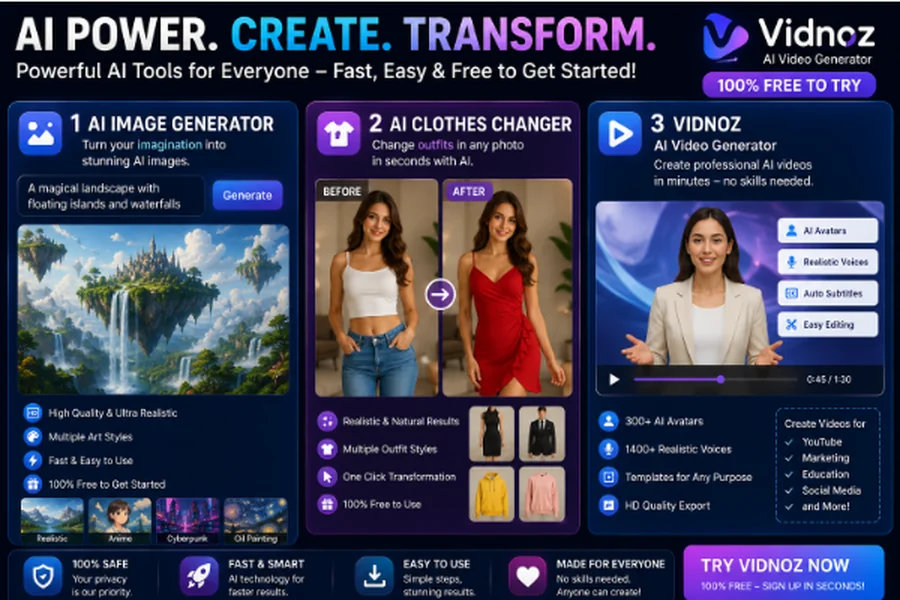
I’ve always enjoyed experimenting with different looks, but trying a completely new outfit usually meant taking another photo, finding suitable clothes, and spending time editing the image afterward.
Recently, I decided to see whether AI could make that process easier.
What started as a simple experiment with an AI image generator eventually led me to try an AI clothes-changing tool and explore what Vidnoz could do with creative visual content.
I Started With an AI-Generated Image
Instead of using one of my existing photographs, I first created a character with an AI image generator.
I experimented with different descriptions until I got an image that looked reasonably natural. I quickly noticed that the quality of the original image mattered a lot.
A clear face, suitable lighting, and a straightforward pose made the final results much easier to work with.
Once I had an image I liked, I wanted to see how easily I could change the clothing without recreating the entire picture.
My First AI Clothes Changer Experiment
That’s where the AI clothes changer came in.
I uploaded the image and selected a different clothing style. Instead of manually editing individual areas of the photograph, the AI generated a new version with the requested outfit.
The first result wasn’t perfect.
There were small details around the clothing that didn’t look completely natural, so I tried a different image and a simpler outfit. The second attempt was noticeably better.
That taught me something important: AI tools still work best when the original image is clear and the requested changes aren’t overly complicated.
I Tried Different Styles
Once I understood the basic process, I started experimenting with different looks.
I tried casual clothing, more formal outfits, and a few different combinations to see how consistently the tool handled them.
What I liked most was the speed.
Normally, comparing several outfits in a photo would involve finding the clothes, taking multiple pictures, or spending time editing each version. With AI, I could test different ideas much more quickly.
For me, it felt less like traditional photo editing and more like trying on different ideas virtually.
Where Vidnoz Came Into My Workflow
After experimenting with still images, I explored Vidnoz because I wanted to see how AI-generated visuals could be used for video content as well.
What interested me was the broader creative workflow.
Instead of treating an AI-generated image as the final product, I could use it as the starting point for creating visual content.
That made the experiment more interesting because I wasn’t limited to changing one part of a photograph.
What I Learned About Better Results
After several attempts, I developed a few habits that helped me get more consistent results.
I started with high-quality images rather than low-resolution pictures. I also avoided poses where the body was heavily obscured.
For clothing changes, I found that simple and clearly described outfit requests generally worked better than extremely detailed combinations.
I also compared the generated image with the original instead of assuming that every change was accurate.
That extra check was useful because AI-generated images can sometimes introduce small visual changes that weren’t part of the original request.
The Biggest Advantage Was Convenience
For me, the biggest benefit wasn’t simply that AI could change clothing.
It was the amount of time it saved.
I could generate an image, experiment with an outfit, compare the result, and try another version without starting the entire process again.
That makes these tools particularly interesting for people who enjoy experimenting with visual ideas but don’t have advanced photo-editing skills.
What I Would Improve
The technology is impressive, but I wouldn’t say every result looks professional immediately.
Sometimes clothing details can appear unusual, patterns may not look exactly right, or parts of the original image can change slightly.
I’ve learned to treat the first result as a draft rather than the finished product.
If something looks wrong, I change the prompt, choose a better source image, and generate another version.
That usually produces a better result than trying to fix every small issue manually.
My Personal Takeaway
Before trying these tools, I assumed AI image editing would require a lot of technical knowledge.
My experience was much simpler.
The AI image generator gave me a flexible starting point, while the AI clothes changer allowed me to experiment with different outfits without taking new photographs every time.
Adding Vidnoz to the process also showed me how these AI-generated visuals can move beyond static images and become part of a broader content-creation workflow.
Final Thoughts
My experiment wasn’t about replacing traditional photography or professional editing.
I simply wanted an easier way to experiment with different visual ideas.
AI made that possible with surprisingly little effort.
I could create a character, change the outfit, compare different styles, and explore video possibilities without needing a complicated editing setup.
For me, that’s the most interesting part of these tools. They don’t necessarily eliminate creativity—they make it faster to test an idea and see what it could look like.
As AI image and video technology continues to improve, I expect these kinds of creative experiments to become even easier for everyday users.